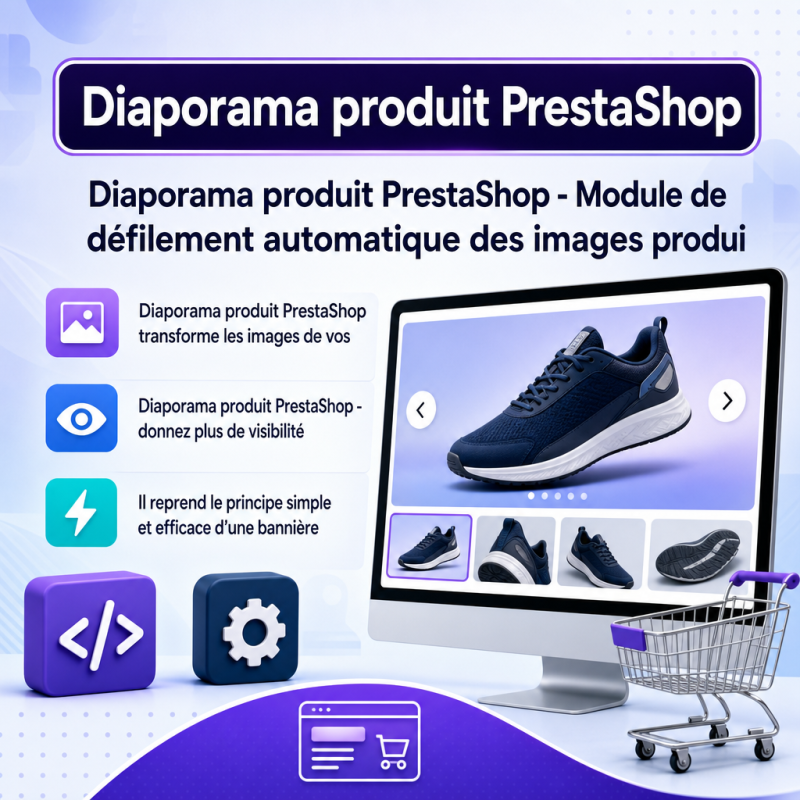
Product Slideshow PrestaShop: optimizes your PrestaShop store with a clear, practical tool built to save time without adding complexity.
PrestaShop product slideshow - Automatic product image scrolling module.
PrestaShop Product Slideshow - give more visibility to your product images
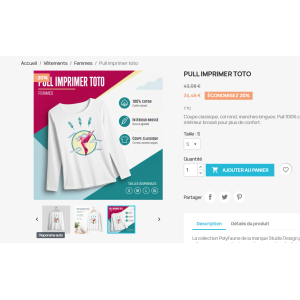
PrestaShop Product Slideshow is a front-office module designed to automatically scroll through the images on a product page. It uses the simple and effective principle of a banner that changes on its own, but applies it directly to the product's image gallery. This way, the visitor discovers several visuals without having to manually click on each thumbnail.
On an online store, product images play an essential role. They show details, variants, angles, accessories, packaging, material, size, or even the real use of the product. However, many visitors stay on the first image and do not look at the other thumbnails. This module helps make these visuals more visible, in an automatic and discreet way.
Automatic scrolling on the product page
The module detects the images available on the product page and automatically triggers the switch to the next image according to the delay configured in the back office. The operation remains lightweight: it does not replace the theme's gallery, does not rebuild the product page HTML, and does not modify the images saved in PrestaShop.
Why this module is useful
A product page with several images often contains more information than the visitor sees at first glance. The second image may show an important detail. The third may display the product in use. Another may present a texture, a color, a dimension, or a technical element. By automatically scrolling through the images, the module helps the customer discover more quickly what the product really offers.
The goal is not to turn the product page into an aggressive animation. The module adds controlled movement, configurable and adapted to the browsing pace. The merchant keeps control over the delay between two images, the behavior on hover, activation on mobile, and the conditions for starting the slideshow.
Simple configuration
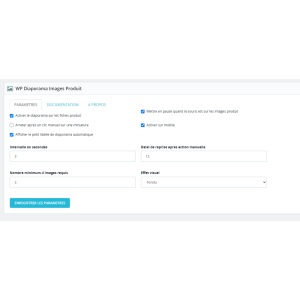
From the module configuration, the merchant defines the rotation delay, module activation, hover behavior, mobile usage, and the minimum number of images required.
Theme respect
The module relies on the existing gallery of the PrestaShop theme. It avoids heavy modifications and preserves the display intended by the store.
Front-office operation
Once activated, the module only works on product pages. It checks that the page contains enough images to justify a slideshow. If the product has only one image, or if the defined conditions are not met, the module remains inactive. This logic avoids unnecessary effects and keeps a clean behavior on simple products.
The scrolling is done using the thumbnails already present. The module triggers the image change as a visitor would by clicking on the next thumbnail. This approach preserves the natural operation of many PrestaShop themes and limits conflicts with the original display.
Main features
- Automatic scrolling of images on the product page.
- Use of the existing gallery and thumbnails.
- Configurable delay between two images.
- Possible pause when the customer hovers over the product area.
- Management of behavior after a manual customer action.
- Configurable resume delay after interaction.
- Activation or deactivation on mobile.
- Minimum number of images before starting the slideshow.
- Configurable visual effects according to the store's needs.
- Simple configuration from the PrestaShop back office.
A better discovery of product visuals
Visitors do not always take the time to explore all available images. On mobile, some quickly move from one section to another. On desktop, others read the description without clicking on the thumbnails. The automatic slideshow allows more visuals to be displayed while the customer stays on the product page.
This extra visibility can be particularly interesting for stores that sell visual, technical, or detailed products: decoration, fashion, accessories, spare parts, furniture, cosmetics, handmade products, professional equipment, objects with several angles, or items with significant variants.
A useful animation, not decorative
The module does not add an animation just to catch the eye. It serves a concrete purpose: to show more product images without requiring immediate action from the visitor. The merchant can choose a calm pace to preserve reading comfort.
Control from the back office
The module configuration is designed to remain clear. The merchant installs the module, opens the configuration, sets the options, then tests the result on a product page containing several images. The settings allow the behavior to be adapted to the catalog, theme, and type of clientele.
The ability to define a minimum number of images is important. It avoids launching an unnecessary slideshow on products that do not have enough visuals. The merchant can reserve the effect for truly suitable pages, for example those with three images or more.
Compatibility and integration