

Indeks: WP-VI-CON-V1

Marka: WebPoint

Generator wideo produktu - WebPoint Video Product Pro - Generator Wideo Produktów PRESTASHOP

star star star star star
(1)
Generator wideo produktu met en avant WebPoint Video Product Pro - Generator Wideo Produktów PRESTASH avec une présentation courte, claire et utile. Zautomatyzowany generator wideo produktów Zautomatyzowany generator wideo produktów Przekształć swoje produkty w profesjonalne filmy automatycznie! 🎥 WebPoint Video Product Pro generuje porywające filmy...
10,00 €
Więcej
W magazynie

Indeks: BOUT-93K2X

Marka: WebPoint

Sklep Internetowy Pod Klucz — Profesjonalny E-commerce Gotowy do Sprzedaży

Sklep internetowy pod klucz met en avant Profesjonalny E-commerce Gotowy do Sprzedaży avec une présentation courte, claire et utile.Otrzymaj swój sklep internetowy pod klucz w ciągu 48 godzin, w pełni skonfigurowany i gotowy do przyjęcia pierwszych klientów. Profesjonalny i nowoczesny design, zoptymalizowany pod wszystkie ekrany. Płatności kartą i PayPal...
---
W magazynie

Indeks: EXT-CRMAX-MULTILANG

Marka: WebPoint

Rozszerzenie Chrome Crunchyroll Maximizer - Ulepsz swoje Doświadczenie w Streamingu 2025

star star star star star_half
(5)
Rozszerzenie Chrome Crunchyroll Maximizer poprawia twoje sesje streamingowe w prosty sposób.Darmowe i potężne rozszerzenie Crunchyroll Pobierz Crunchyroll Rewolucyjne 100% DARMOWE rozszerzenie Chrome, które zmienia Twoje doświadczenie z Crunchyroll!
---
W magazynie

Indeks: EBP-2025-PRO

Marka: WebPoint

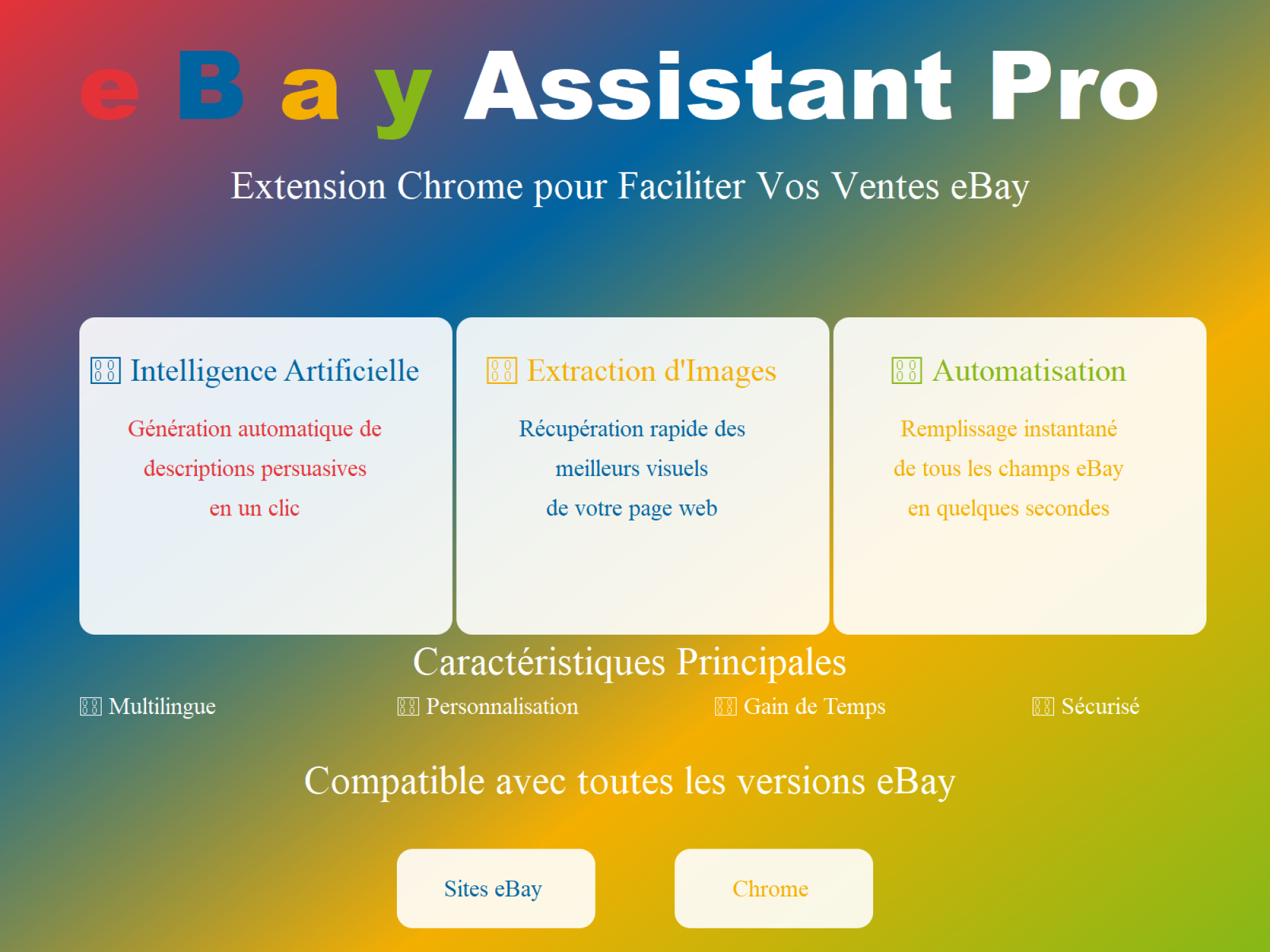
🚀 eBay Assistant Pro: Twój Najlepszy Towarzysz AI dla Ogłoszeń eBay 🤖

star star star star star_half
(228)
Rozszerzenie eBay zautomatyzowane przez sztuczną inteligencję ✨ eBay Assistant Pro to znacznie więcej niż zwykłe rozszerzenie Chrome - to Twój inteligentny asystent dedykowany tworzeniu listingów eBay, które maksymalizują Twój potencjał sprzedażowy. 🚀 Zaprojektowany dla sprzedawców szukających sposobu, aby zaoszczędzić czas ⏳ et à poprawić jakość swoich...
5,00 €
Więcej
W magazynie
Wszystkie bestsellery
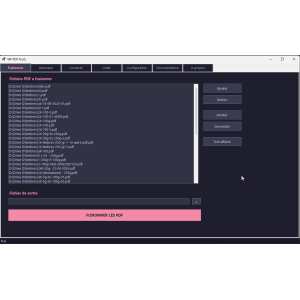
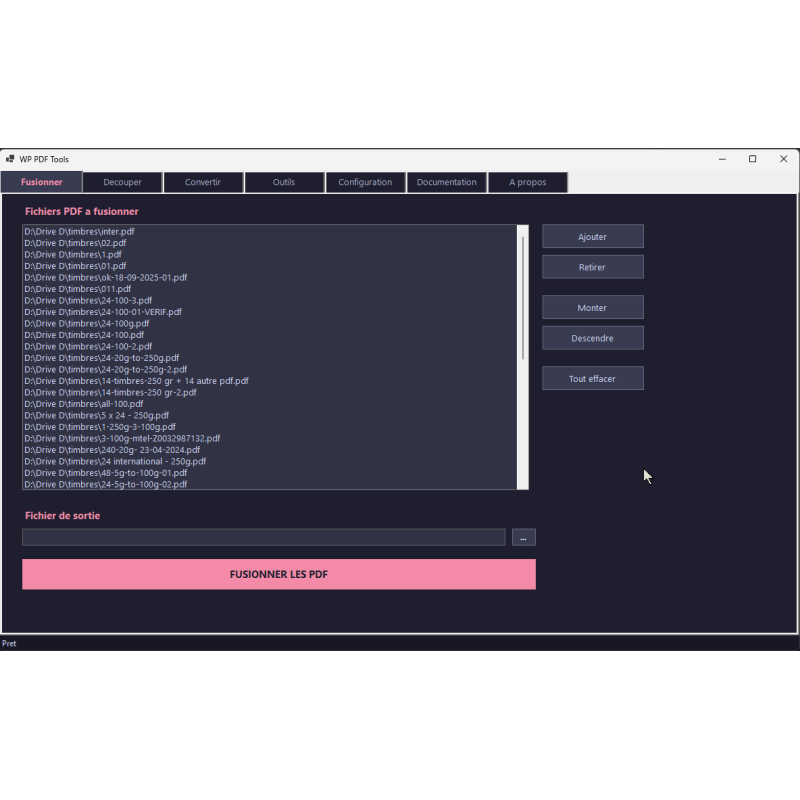
oprogramowanie PDF, scalanie, interfejs, narzędzia, tekst
  • oprogramowanie PDF, scalanie, interfejs, narzędzia, tekst
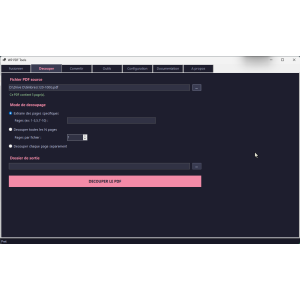
  • narzędzie PDF, dzielenie, interfejs użytkownika, przycisk, opcje
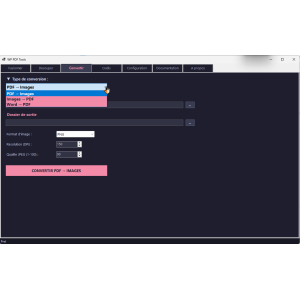
  • narzędzie do konwersji PDF, ciemny interfejs, wyraźne przyciski
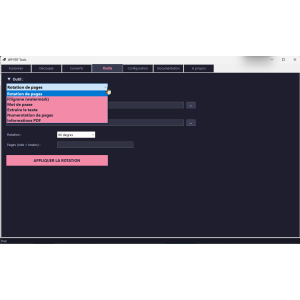
  • narzędzie PDF, interfejs użytkownika, narzędzie do rotacji
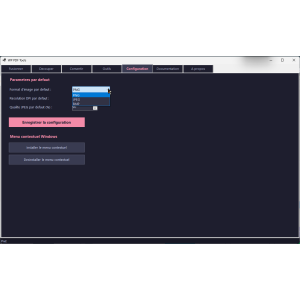
  • narzędzie do konfiguracji, interfejs użytkownika, ustawienia, menu kontekstowe

Darmowe narzędzia pdf - WP PDF Tools - Darmowe narzędzia PDF: Scalaj, Dziel, Konwertuj, Chroń swoje PDF-y

WP-PDF-TOOL
WebPoint
Darmowe narzędzia pdf met en avant WP PDF Tools - Darmowe narzędzia PDF: Scalaj, Dziel, Konwertuj, Ch avec une présentation courte, claire et utile.

WP PDF Tools to Twoje darmowe, wszechstronne narzędzie PDF. 100% darmowe, przenośne i bez instalacji, to oprogramowanie łączy 11 podstawowych operacji PDF: scalanie, dzielenie, konwersja PDF na obrazy, obrazy na PDF, Word na PDF, obrót, znak wodny, ochrona hasłem, ekstrakcja tekstu, numeracja i informacje PDF.

Uruchom plik wykonywalny i pracuj natychmiast.

Przeciągnij i upuść swoje pliki, ciesz się ultraszybkim przetwarzaniem i nowoczesnym interfejsem.

Bez rejestracji, bez ograniczeń, bez reklam. Darmowe narzędzia PDF dla Windows.
0,00 €
Netto
Ilość
9999 Przedmioty

Opis
Darmowe narzędzia pdf détaille WP PDF Tools - Darmowe narzędzia PDF: Scalaj, Dziel, Konwertuj, Ch avec une description structurée, distincte et ce.
ERROR: VIOLATED RULES
Szczegóły produktu
WP-PDF-TOOL
9999 Przedmioty
  • Front office play_circle_filled

    Front office

  • Back office play_circle_filled

    Back office

  • Ebay-assistant play_circle_filled

    Ebay-assistant

  • CSV Import Master Pro Busyx : AI-Powered E-Commerce Revolution play_circle_filled

    CSV Import Master Pro Busyx : AI-Powered E-Commerce Revolution

6 innych produktów w tej samej kategorii:

Indeks: WP-DAT-CONV

Marka: WebPoint

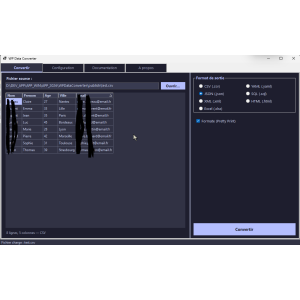
Darmowy konwerter danych - WP Data Converter

Darmowy konwerter danych, idealne narzędzie do szybkiej konwersji Twoich plików. WP Data Converter to darmowy konwerter danych w 100% przenośny dla Windows. Nie wymaga instalacji: pobierz, uruchom, konwertuj! Przekształć swoje pliki CSV, JSON, XML, Excel (.xlsx) i YAML jednym kliknięciem. Dodatkowy eksport do SQL i HTML. Automatyczne wykrywanie...
---
W magazynie

Indeks: mic1695935434030

Marka: WebPoint

Windows 11 Pro - Oficjalna Licencja 32/64 bit | Klucz Aktywacyjny Email Natychmiast

star star star star star_border
(1)
Windows 11 Pro – Oficjalna licencja cyfrowa Kompatybilny 32 i 64 bit Bezpieczna aktywacja SYSTEM DO POBRANIA Odpowiedni do nowej instalacji lub ponownej instalacji Natychmiastowa dostawa klucza e-mailem i komunikatorem (bez nośnika fizycznego). Pomoc techniczna 7/7 w razie potrzeby
9,00 €
Więcej
W magazynie

Indeks: WP-BAT-RENM

Marka: WebPoint

Darmowy masowy zmieniacz nazw plików - WP Batch Renamer - Bezpłatny Masowy Renamer Plików | 13 Operacji Zmiany Nazwy Przenoś

Darmowy masowy zmieniacz nazw plików met en avant WP Batch Renamer - Bezpłatny Masowy Renamer Plików avec une présentation courte, claire et utile.100% darmowy WP Batch Renamer to darmowy i przenośny program do masowego zmieniania nazw plików dla Windows. Bez konieczności instalacji, wystarczy uruchomić plik EXE i zmienić nazwy setek plików jednym...
---
W magazynie

Indeks: WP-ARC-HIVR

Marka: WebPoint

Darmowy przenośny kompresor - plików - WP Archiver

Darmowy przenośny kompresor - plików, idealny do łatwego zarządzania twoimi plikami.darmowy przenośny kompresor plików, idealny do zarządzania archiwami bez instalacji.WP Archiver to darmowy kompresor plików w 100% przenośny dla Windows. Nie wymaga instalacji: pobierz, uruchom, kompresuj! Twórz archiwa ZIP, 7Z, TAR.GZ i TAR.BZ2. Rozpakuj ZIP, RAR, 7Z,...
---
W magazynie

Indeks: WP-AUD-CONV

Marka: WebPoint

Darmowy konwerter audio portable - WebPoint Audio Converter - Przenośny Darmowy Konwerter Audio Wieloformatowy (MP3, WAV, FLAC

star star star_border star_border star_border
(1)
Darmowy konwerter audio portable met en avant WebPoint Audio Converter - Przenośny Darmowy Konwerter avec une présentation courte, claire et utile.100% darmowy WebPoint Audio Converter to darmowy przenośny konwerter audio dla Windows. Nie wymaga instalacji: pobierz, uruchom, konwertuj! Obsługuje 10 formatów: MP3, WAV, FLAC, AAC, OGG, WMA, M4A, AIFF, OPUS,...
---
W magazynie

Indeks: WP-VID-CONV

Marka: WebPoint

Darmowy konwerter wideo portable - WebPoint Video Converter - Przenośny darmowy konwerter wideo obsługujący wiele formatów dla W

Darmowy konwerter wideo portable met en avant WebPoint Video Converter - Przenośny darmowy konwerter avec une présentation courte, claire et utile.100% darmowy WP Video Converter to darmowy i przenośny konwerter wideo dla Windows. 100% darmowy, bez instalacji, konwertuje twoje filmy na 10 formatów (MP4, AVI, MKV, MOV, WebM, GIF...) z 10 predefiniowanymi...
---
W magazynie

Articles du blog

Tout voir arrow_forward

help_outline Questions fréquentes 4 FAQ

Oui, WP PDF Tools est totalement et définitivement gratuit. Il n'y a aucun coût caché, aucun abonnement, aucun achat in-app et aucune fonctionnalité premium verrouillée. Les 11 opérations PDF sont entièrement accessibles sans débourser un centime. Pas besoin non plus de créer un compte ou de s'inscrire. Vous téléchargez le fichier, vous le lancez, et toutes les fonctionnalités sont immédiatement disponibles, sans aucune limitation d'utilisation ni de taille de fichier. Gratuit aujourd'hui, gratuit pour toujours.
Non, absolument pas. Contrairement aux outils PDF en ligne qui uploadent vos documents sur des serveurs tiers, WP PDF Tools fonctionne à 100% en local sur votre ordinateur. Aucun fichier n'est jamais envoyé sur Internet. Le logiciel ne nécessite même pas de connexion Internet pour fonctionner. Vos documents confidentiels — contrats, factures, données personnelles — restent entièrement privés et sécurisés sur votre machine. C'est l'un des avantages majeurs de WP PDF Tools par rapport aux alternatives en ligne.
Aucune installation n'est nécessaire ! WP PDF Tools est une application portable constituée d'un seul fichier exécutable. Il vous suffit de le télécharger et de double-cliquer dessus pour le lancer immédiatement. Vous pouvez même le copier sur une clé USB et l'utiliser sur n'importe quel PC sous Windows 10 ou 11 (64 bits) sans rien installer. Le framework .NET 8.0 est déjà inclus dans l'exécutable, donc vous n'avez aucune dépendance externe à gérer. Le fichier pèse environ 174 Mo et contient tout ce dont vous avez besoin.
WP PDF Tools regroupe 11 opérations PDF complètes dans une seule application : 1) Fusionner plusieurs PDF en un seul document, 2) Découper un PDF (extraire des pages, diviser toutes les N pages ou séparer chaque page), 3) Convertir des PDF en images (PNG, JPEG, BMP) avec résolution configurable, 4) Convertir des images en PDF (PNG, JPEG, BMP, GIF, TIFF), 5) Convertir des fichiers Word (DOCX) en PDF sans avoir besoin de Microsoft Office, 6) Pivoter des pages (90°, 180°, 270°), 7) Ajouter un filigrane texte personnalisé, 8) Protéger ou déprotéger un PDF par mot de passe, 9) Extraire le texte d'un PDF en fichier TXT, 10) Ajouter une numérotation de pages configurable, et 11) Consulter les métadonnées et informations techniques d'un PDF. Toutes ces fonctionnalités sont accessibles via une interface moderne et intuitive avec glisser-déposer.

description Documentation produit

Darmowe narzędzia pdf - WP PDF Tools - Darmowe narzędzia PDF: Scalaj, Dziel, Konwertuj, Chroń swoje PDF-y

Prérequis

Assurez-vous que votre système d'exploitation est Windows 10 ou 11 (64 bits). Le framework .NET 8.0 est requis, mais il est inclus dans l'exécutable.

Installation

WP PDF Tools est une application portable qui ne nécessite aucune installation. Téléchargez simplement le fichier exécutable et lancez-le pour commencer à utiliser le logiciel.

Configuration

Aucune configuration initiale n'est requise. L'application est prête à l'emploi dès son lancement.

Utilisation

  • Glissez-déposez vos fichiers PDF, images ou documents Word directement dans l'application.
  • Accédez aux différentes fonctionnalités via les onglets organisés de l'interface.
  • Utilisez le menu contextuel Windows pour ouvrir directement un fichier PDF dans l'application.

Fonctionnalités Principales

  • Fusionner des PDF : Combinez plusieurs fichiers PDF en un seul document.
  • Découper un PDF : Extrayez des pages spécifiques ou divisez votre PDF.
  • PDF → Images : Convertissez les pages PDF en images.
  • Images → PDF : Transformez vos images en documents PDF.
  • Word → PDF : Convertissez des documents DOCX en PDF.
  • Rotation de Pages : Modifiez l'orientation des pages PDF.
  • Filigrane : Ajoutez un filigrane texte personnalisé à vos PDF.
  • Protection par Mot de Passe : Sécurisez ou retirez la protection des PDF.
  • Extraire le Texte : Exportez le contenu textuel d'un PDF en fichier TXT.
  • Numérotation de Pages : Ajoutez des numéros de page configurables.
  • Informations PDF : Consultez les métadonnées et informations techniques de vos PDF.

Scénarios d'usage

  • Étudiants : Fusionnez des notes de cours en un seul document PDF.
  • Professionnels : Protégez vos documents avec des mots de passe et ajoutez des filigranes.
  • Particuliers : Créez des albums photo en PDF à partir de vos images.

Dépannage

En cas de problème, assurez-vous que votre système d'exploitation est compatible et que le framework .NET 8.0 est correctement inclus. Vérifiez également que vous avez téléchargé la dernière version de l'application.

Compatibilité

WP PDF Tools est compatible avec Windows 10 et 11 (64 bits).

Bonnes pratiques

  • Utilisez le glisser-déposer pour un traitement rapide et intuitif de vos fichiers.
  • Conservez une copie de sauvegarde de vos documents avant de les modifier.
  • Assurez-vous d'avoir suffisamment d'espace disque pour traiter de grands fichiers PDF.