


Reference: WP-VI-CON-V1

Brand: WebPoint

WebPoint Video Product Pro - PRESTASHOP Video Creator Module

star star star star star
(1)
WebPoint Video Product Pro delivers professional videos to elevate your product listings and drive sales. Générateur vidéo produit automatisé Générateur vidéo produit automatisé Transform your products into professional videos automatically! 🎥 WebPoint Video Product Pro generates captivating advertising videos, multilingual narration, music and visual...
€10.00
More
In stock

Reference: BOUT-93K2X

Brand: WebPoint

Turnkey ecommerce website - Your Complete E-commerce Solution

Turnkey ecommerce website - for entrepreneurs. Launch your professional online store with ease and efficiency.Get your turnkey online store within 48 hours, fully configured and ready to welcome your first customers. Professional and modern design, optimized for all screens. Credit card and PayPal payments already set up, shipping configured with major...
---
In stock

Reference: EXT-CRMAX-MULTILANG

Brand: WebPoint

Crunchyroll Maximizer Chrome Extension - Ultimate Streaming Upgrade 2025

star star star star star_half
(5)
Crunchyroll Maximizer Chrome Extension boosts your streaming quality effortlessly.Free and powerful Crunchyroll extension Download Crunchyroll Revolutionary 100% FREE Chrome extension that transforms your Crunchyroll experience!
---
In stock

Reference: EBP-2025-PRO

Brand: WebPoint
EBay Assistant Pro for Listings - Your Smart AI Tool for eBay Success

star star star star star_half
(228)
EBay Assistant Pro for Listings - offers smart automation for your eBay listings, enhancing your efficiency and sales performance.eBay extension automated by artificial intelligence ✨ eBay Assistant Pro is much more than a simple Chrome extension - it's your intelligent assistant dedicated to creating eBay listings that maximize your sales potential. 🚀...
€5.00
More
In stock
All best sellers
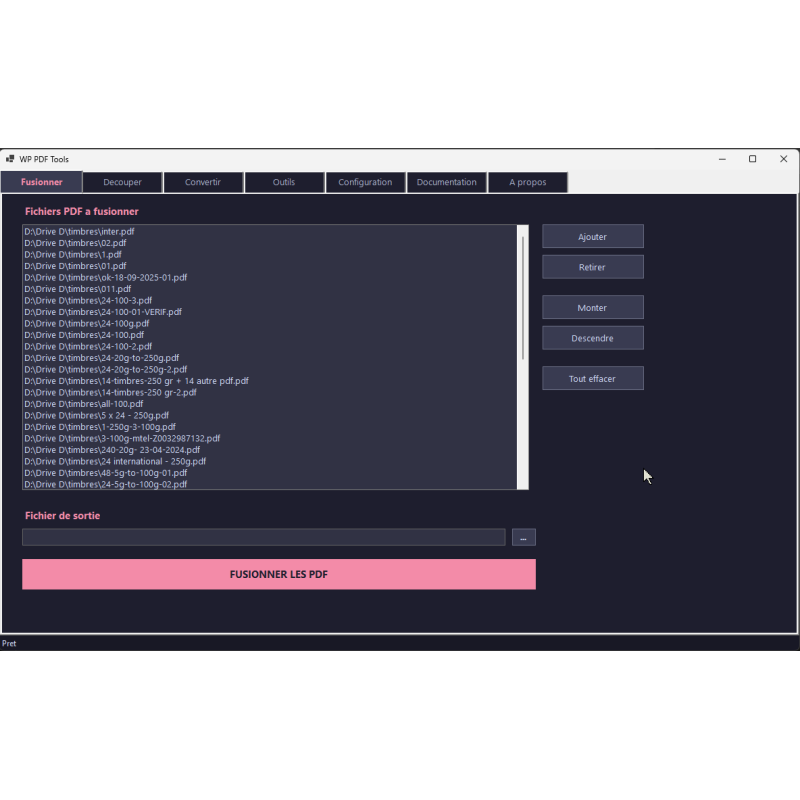
PDF software, merging, interface, tools, text
  • PDF software, merging, interface, tools, text
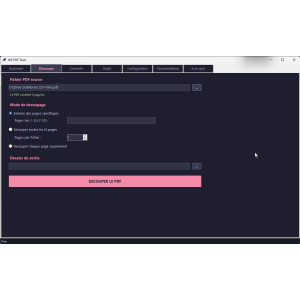
  • PDF tool, splitting, user interface, button, options
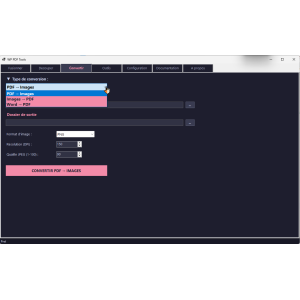
  • PDF conversion tool, dark interface, clear buttons
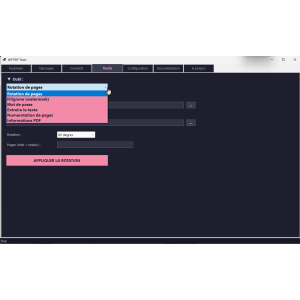
  • PDF tool, user interface, rotation tool
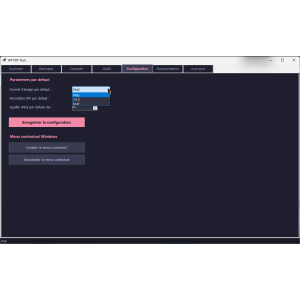
  • configuration tool, user interface, settings, context menus

WP PDF Tools - Free PDF Tools for Merging, Splitting, and Protecting PDFs

WP-PDF-TOOL
WebPoint
WP PDF Tools - Free PDF Tools simplifies your PDF tasks with its powerful features for merging, splitting and converting.

WP PDF Tools is your all-in-one free PDF toolbox. 100% free, portable, and without installation, this software brings together 11 essential PDF operations: merge, split, convert PDF to images, images to PDF, Word to PDF, rotation, watermark, password protection, text extraction, numbering, and PDF information.

Launch the executable and start working immediately.

Drag and drop your files, enjoy ultra-fast processing and a modern interface.

No registration, no limits, no ads. Free PDF tools for Windows.

€0.00
Tax excluded
Quantity
9999 Items

Description
WP PDF Tools - Free PDF Tools empowers users with multiple features to merge, split, convert, and protect their PDFs effortlessly.
ERROR: VIOLATED RULES
Product Details
WP-PDF-TOOL
9999 Items
  • Front office play_circle_filled

    Front office

  • Back office play_circle_filled

    Back office

  • Ebay-assistant play_circle_filled

    Ebay-assistant

  • CSV Import Master Pro Busyx : AI-Powered E-Commerce Revolution play_circle_filled

    CSV Import Master Pro Busyx : AI-Powered E-Commerce Revolution

6 other products in the same category:

Reference: WP-DAT-CONV

Brand: WebPoint

Free Data Converter - WP Data Conversion Tool for Files

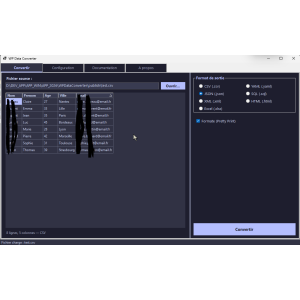
Free Data Converter makes it simple to convert CSV, JSON, XML, and Excel files all in one easy-to-use tool.Free Data Converter, the perfect tool to quickly transform your files with ease. WP Data Converter is a free 100% portable data converter for Windows. No installation required: download, launch, convert! Transform your CSV, JSON, XML, Excel (.xlsx),...
---
In stock

Reference: mic1695935434030

Brand: WebPoint

Windows 11 Pro activation key - Instant Email Delivery and Official License

star star star star star_border
(1)
Windows 11 Pro activation key ensures a smooth installation experience with an official license.Windows 11 Pro – Official digital license Compatible 32 & 64 bits Secure activation OS TO DOWNLOAD Suitable for a new installation or reinstallation Immediate key delivery by email & messaging (no physical media). 7/7 technical support if needed
€9.00
More
In stock

Reference: WP-VID-CONV

Brand: WebPoint

Free portable video converter - Fast Multi-Format Solution for Windows

Free portable video converter - simplifies your video conversion tasks on Windows without installation.100% free WP Video Converter is a free and portable video converter for Windows. 100% free, no installation, it converts your videos into 10 formats (MP4, AVI, MKV, MOV, WebM, GIF...) with 10 predefined profiles (YouTube, WhatsApp, Web...). MP3 audio...
---
In stock

Reference: WP-BAT-RENM

Brand: WebPoint

WP Batch Renamer for Windows - Effortless File Management Utility

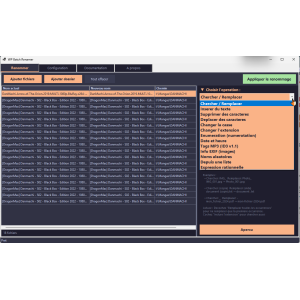
WP Batch Renamer for Windows is your go-to solution for efficient file renaming operations in bulk.100% free WP Batch Renamer is a free and portable batch file renamer for Windows. Without any installation required, simply launch the EXE and rename hundreds of files with one click. 13 powerful operations: search/replace, change case, enumeration, regular...
---
In stock

Reference: WP-AUD-CONV

Brand: WebPoint

Free Portable Audio Converter - Convert MP3, WAV, FLAC Easily

star star star_border star_border star_border
(1)
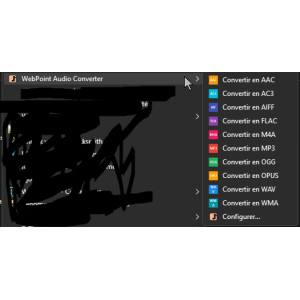
Free Portable Audio Converter provides an easy way to convert multiple audio formats on Windows without installation.100% free WebPoint Audio Converter is a free portable audio converter for Windows. No installation required: download, launch, convert! Supports 10 formats: MP3, WAV, FLAC, AAC, OGG, WMA, M4A, AIFF, OPUS, AC3. Batch conversion, drag &...
---
In stock

Reference: WP-ARC-HIVR

Brand: WebPoint

Free portable file compressor - WP Archiver for Windows

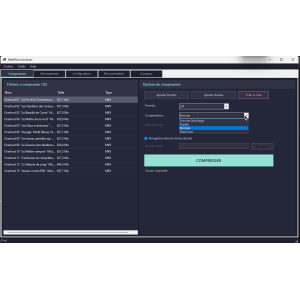
Free portable file compressor - Experience effortless file management with WP Archiver, no installation required!free portable file compressor, perfect for managing your archives without installation.WP Archiver is a free 100% portable file compressor for Windows. No installation required: download, launch, compress! Create ZIP, 7Z, TAR.GZ, and TAR.BZ2...
---
In stock

Articles du blog

Tout voir arrow_forward

help_outline Questions fréquentes 4 FAQ

Oui, WP PDF Tools est totalement et définitivement gratuit. Il n'y a aucun coût caché, aucun abonnement, aucun achat in-app et aucune fonctionnalité premium verrouillée. Les 11 opérations PDF sont entièrement accessibles sans débourser un centime. Pas besoin non plus de créer un compte ou de s'inscrire. Vous téléchargez le fichier, vous le lancez, et toutes les fonctionnalités sont immédiatement disponibles, sans aucune limitation d'utilisation ni de taille de fichier. Gratuit aujourd'hui, gratuit pour toujours.
Non, absolument pas. Contrairement aux outils PDF en ligne qui uploadent vos documents sur des serveurs tiers, WP PDF Tools fonctionne à 100% en local sur votre ordinateur. Aucun fichier n'est jamais envoyé sur Internet. Le logiciel ne nécessite même pas de connexion Internet pour fonctionner. Vos documents confidentiels — contrats, factures, données personnelles — restent entièrement privés et sécurisés sur votre machine. C'est l'un des avantages majeurs de WP PDF Tools par rapport aux alternatives en ligne.
Aucune installation n'est nécessaire ! WP PDF Tools est une application portable constituée d'un seul fichier exécutable. Il vous suffit de le télécharger et de double-cliquer dessus pour le lancer immédiatement. Vous pouvez même le copier sur une clé USB et l'utiliser sur n'importe quel PC sous Windows 10 ou 11 (64 bits) sans rien installer. Le framework .NET 8.0 est déjà inclus dans l'exécutable, donc vous n'avez aucune dépendance externe à gérer. Le fichier pèse environ 174 Mo et contient tout ce dont vous avez besoin.
WP PDF Tools regroupe 11 opérations PDF complètes dans une seule application : 1) Fusionner plusieurs PDF en un seul document, 2) Découper un PDF (extraire des pages, diviser toutes les N pages ou séparer chaque page), 3) Convertir des PDF en images (PNG, JPEG, BMP) avec résolution configurable, 4) Convertir des images en PDF (PNG, JPEG, BMP, GIF, TIFF), 5) Convertir des fichiers Word (DOCX) en PDF sans avoir besoin de Microsoft Office, 6) Pivoter des pages (90°, 180°, 270°), 7) Ajouter un filigrane texte personnalisé, 8) Protéger ou déprotéger un PDF par mot de passe, 9) Extraire le texte d'un PDF en fichier TXT, 10) Ajouter une numérotation de pages configurable, et 11) Consulter les métadonnées et informations techniques d'un PDF. Toutes ces fonctionnalités sont accessibles via une interface moderne et intuitive avec glisser-déposer.

description Documentation produit

WP PDF Tools - Free PDF Tools for Merging, Splitting, and Protecting PDFs

Prérequis

Assurez-vous que votre système d'exploitation est Windows 10 ou 11 (64 bits). Le framework .NET 8.0 est requis, mais il est inclus dans l'exécutable.

Installation

WP PDF Tools est une application portable qui ne nécessite aucune installation. Téléchargez simplement le fichier exécutable et lancez-le pour commencer à utiliser le logiciel.

Configuration

Aucune configuration initiale n'est requise. L'application est prête à l'emploi dès son lancement.

Utilisation

  • Glissez-déposez vos fichiers PDF, images ou documents Word directement dans l'application.
  • Accédez aux différentes fonctionnalités via les onglets organisés de l'interface.
  • Utilisez le menu contextuel Windows pour ouvrir directement un fichier PDF dans l'application.

Fonctionnalités Principales

  • Fusionner des PDF : Combinez plusieurs fichiers PDF en un seul document.
  • Découper un PDF : Extrayez des pages spécifiques ou divisez votre PDF.
  • PDF → Images : Convertissez les pages PDF en images.
  • Images → PDF : Transformez vos images en documents PDF.
  • Word → PDF : Convertissez des documents DOCX en PDF.
  • Rotation de Pages : Modifiez l'orientation des pages PDF.
  • Filigrane : Ajoutez un filigrane texte personnalisé à vos PDF.
  • Protection par Mot de Passe : Sécurisez ou retirez la protection des PDF.
  • Extraire le Texte : Exportez le contenu textuel d'un PDF en fichier TXT.
  • Numérotation de Pages : Ajoutez des numéros de page configurables.
  • Informations PDF : Consultez les métadonnées et informations techniques de vos PDF.

Scénarios d'usage

  • Étudiants : Fusionnez des notes de cours en un seul document PDF.
  • Professionnels : Protégez vos documents avec des mots de passe et ajoutez des filigranes.
  • Particuliers : Créez des albums photo en PDF à partir de vos images.

Dépannage

En cas de problème, assurez-vous que votre système d'exploitation est compatible et que le framework .NET 8.0 est correctement inclus. Vérifiez également que vous avez téléchargé la dernière version de l'application.

Compatibilité

WP PDF Tools est compatible avec Windows 10 et 11 (64 bits).

Bonnes pratiques

  • Utilisez le glisser-déposer pour un traitement rapide et intuitif de vos fichiers.
  • Conservez une copie de sauvegarde de vos documents avant de les modifier.
  • Assurez-vous d'avoir suffisamment d'espace disque pour traiter de grands fichiers PDF.