Reference: WP-VI-CON-V1

Brand: WebPoint

WebPoint Video Product Pro - PRESTASHOP Video Creator Module

star star star star star
(1)
WebPoint Video Product Pro delivers professional videos to elevate your product listings and drive sales. Générateur vidéo produit automatisé Générateur vidéo produit automatisé Transform your products into professional videos automatically! 🎥 WebPoint Video Product Pro generates captivating advertising videos, multilingual narration, music and visual...
€10.00
More
In stock

Reference: BOUT-93K2X

Brand: WebPoint

Turnkey ecommerce website - Your Complete E-commerce Solution

Turnkey ecommerce website - for entrepreneurs. Launch your professional online store with ease and efficiency.Get your turnkey online store within 48 hours, fully configured and ready to welcome your first customers. Professional and modern design, optimized for all screens. Credit card and PayPal payments already set up, shipping configured with major...
---
In stock

Reference: EXT-CRMAX-MULTILANG

Brand: WebPoint

Crunchyroll Maximizer Chrome Extension - Ultimate Streaming Upgrade 2025

star star star star star_half
(5)
Crunchyroll Maximizer Chrome Extension boosts your streaming quality effortlessly.Free and powerful Crunchyroll extension Download Crunchyroll Revolutionary 100% FREE Chrome extension that transforms your Crunchyroll experience!
---
In stock

Reference: EBP-2025-PRO

Brand: WebPoint

EBay Assistant Pro for Listings - Your Smart AI Tool for eBay Success

star star star star star_half
(228)
EBay Assistant Pro for Listings - offers smart automation for your eBay listings, enhancing your efficiency and sales performance.eBay extension automated by artificial intelligence ✨ eBay Assistant Pro is much more than a simple Chrome extension - it's your intelligent assistant dedicated to creating eBay listings that maximize your sales potential. 🚀...
€5.00
More
In stock
All best sellers
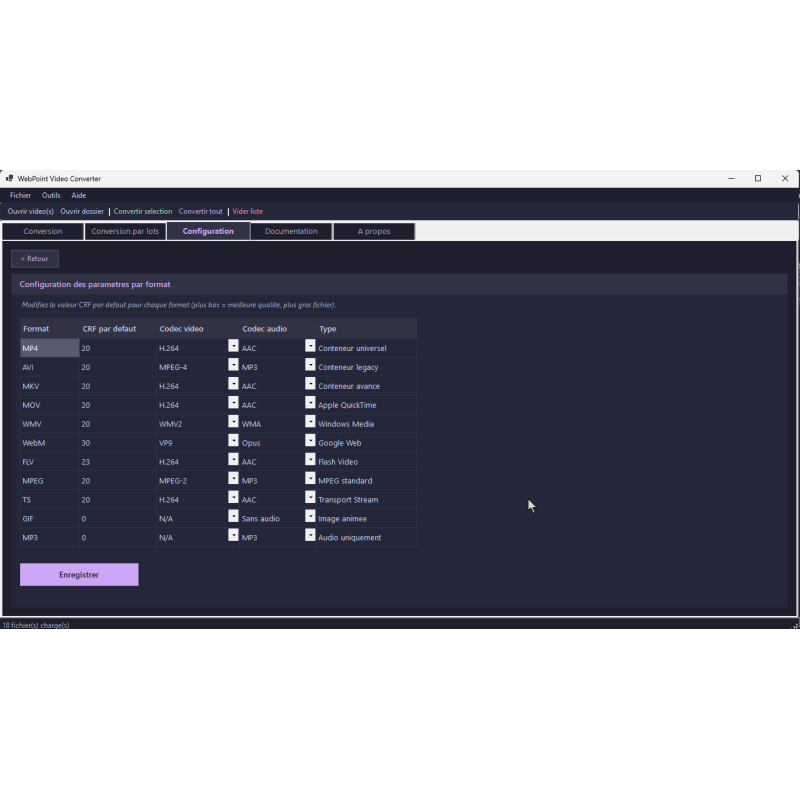
video conversion software, dark interface, multiple options
  • software, video, converter, tools, user-friendly, interface
  • video conversion software, dark interface, multiple options
  • video conversion software, user interface, various options

Free portable video converter - Fast Multi-Format Solution for Windows

WP-VID-CONV
WebPoint
Free portable video converter - simplifies your video conversion tasks on Windows without installation.

100% free

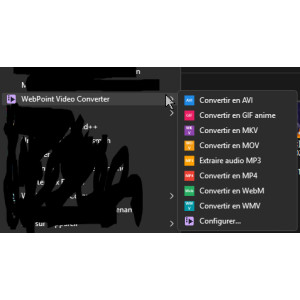
WP Video Converter is a free and portable video converter for Windows. 100% free, no installation, it converts your videos into 10 formats (MP4, AVI, MKV, MOV, WebM, GIF...) with 10 predefined profiles (YouTube, WhatsApp, Web...). MP3 audio extraction, video trimming, batch conversion, integrated Windows context menu.

FFmpeg downloads automatically. Modern Catppuccin Mocha theme. .NET 8 self-contained application, single file, ready to use. Ideal for quickly converting all your videos.

€0.00
Tax excluded
Quantity
99999 Items

Description
Free portable video converter - enables quick and reliable video conversions on Windows without the need for installation.

🎬 WP Video Converter v2.5

The free, portable, and multi-format video converter for Windows

✅ 100% FREE - NO INSTALLATION
💰
100% Free
No hidden fees
💻
Portable
No installation
🎥
10 Formats
MP3 extraction
10 Profiles
YouTube, WhatsApp...

Presentation

WP Video Converter is a free video converter and fully portable for Windows.Developed by WebPoint , it allows you to convert your video files into 10 different output formats , create GIF animes , extract the MP3 audio , cut sequences and much more.

No installation required: just launch the executable and start converting.FFmpeg, the professional conversion engine, is automatically download on first launch.The application works on Windows 10 and 11 (64 bits) and requires no additional components thanks to its compilation .NET 8 self-contained .

🎬 10 Output Formats + Audio Extraction

Format Type Video Codecs Audio Codecs
🔵 MP4 Universal Container H.264, H.265, MPEG-4 AAC, MP3, AC3
🔸 AVI Legacy Container MPEG-4, H.264, MPEG-2 MP3, AC3
🔶 MKV Advanced Container H.264, H.265, VP9, MPEG-4 AAC, MP3, Opus, AC3
🔷 MOV Apple QuickTime H.264, H.265 AAC, MP3, AC3
🔵 WMV Windows Media WMV2 WMA
🔸 WebM Google Web VP9 Opus
🔶 FLV Flash Video H.264 AAC, MP3
🔷 MPEG MPEG standard MPEG-2, MPEG-4 MP3, AC3
🔵 TS Transport Stream H.264, H.265, MPEG-2 AAC, MP3, AC3
🎨 GIF Animated image Optimized Palette No audio
🎵 MP3 Audio Only - MP3 (up to 320 kbps)

📥 18 Supported Input Formats

WP Video Converter accepts almost all existing video formats:

MP4 AVI MKV MOV WMV WebM FLV MPG MPEG 3GP TS M4V VOB OGV MTS M2TS F4V DIVX

🎯 10 Predefined Conversion Profiles

Select a profile and convert with one click.All settings are automatically optimized.

Profile Format Codec Resolution CRF
▶ YouTube 1080p MP4 H.264 / AAC 1080p 20
🎥 YouTube 4K MP4 H.264 / AAC 4K (3840) 18
📱 Social Media MP4 H.264 / AAC 720p 23
💬 WhatsApp / Mobile MP4 H.264 / AAC 480p 28
🌐 Web Optimization WebM VP9 / Opus 720p 30
⭐ High Quality MKV H.265 / AAC Original 18
💾 Archive (direct copy) MKV Copy / Copy Source: fr Target: en Text: Ajouter au panier -
🎨 Anime GIF GIF Optimized Palette 480p -
🎵 Extract audio MP3 MP3 320 kbps - -
🔧 Customize Choice Choice Choice Choice

🚀 Key Features

🎬 Multi-Format Conversion

  • 10 output formats: MP4, AVI, MKV, MOV, WMV, WebM, FLV, MPEG, TS, GIF
  • 18 input formats accepted
  • Extract MP3 audio from any video
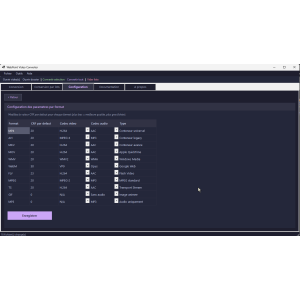
  • Configurable video codecs by format (H.264, H.265, VP9, MPEG-4, MPEG-2)
  • Configurable audio codecs (AAC, MP3, Opus, AC3, WMA)
  • "Copy" option for ultra-fast lossless re-encoding

🔧 Advanced Quality Control

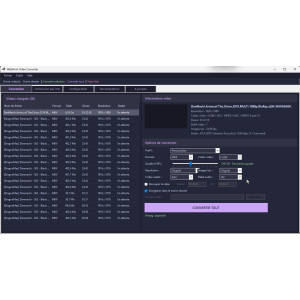
  • CRF Slider (Constant Rate Factor) from 0 to 51
  • 7 resolutions available: 4K, 1440p, 1080p, 720p, 480p, 360p, Original
  • 6 image cadences: 60, 30, 25, 24, 15 fps or Original
  • Adjustable audio bitrate: 64, 96, 128, 192, 256, 320 kbps
  • Real-time description of the selected CRF quality
  • CRF and default codecs configuration for each format

✅ Smart Presets

  • YouTube 1080p and 4K: Optimized Settings for YouTube
  • Social Networks: Balanced Compression for Instagram, Facebook, TikTok
  • WhatsApp / Mobile: reduced size for mobile sending
  • Web optimize: WebM/VP9 format for websites
  • High Quality H.265: Superior compression, maximum quality
  • Archive: direct copy without re-encoding, ultra-fast
  • Animated GIF: Create GIFs with optimized palette
  • Audio extraction: High quality MP3 320 kbps

📦 Bulk Conversion

  • Convert an entire folder of videos in a single operation
  • Include subfolders option
  • Source and destination folder selection
  • Single output format for the entire batch
  • Real-time progress bar
  • Detailed report: successes and errors by file

✂ Decoupage Video (Trim)

  • Define a start and end point (HH:MM:SS format)
  • Extract only the desired part of the video
  • Compatible with all output formats
  • Ideal for creating excerpts or removing introductions

👁 Overview and Information

  • Automatically generated video thumbnail
  • Detailed information: resolution, video codec, audio codec, duration
  • Video bitrate, frames per second, audio channels
  • File size displayed in the list

🔌 FFmpeg - Automatic Download

WP Video Converter usage FFmpeg , the most powerful and most used video conversion engine in the world.On first launch, FFmpeg is automatically download and install in the application folder.No manual intervention required.

  • ✅ Automatic download on first launch
  • ✅ Progress bar during download
  • ✅ Automatic detection if FFmpeg is already present
  • ✅ Professional engine used by YouTube, Netflix, VLC...

🎮 CRF Quality Guide

The CRF (Constant Rate Factor) allows you to precisely control the quality/size ratio of your converted videos:

CRF Range Quality Recommended use
0 - 15 Almost lossless Post-production, masters, critical archiving
16 - 20 Very good quality YouTube 4K, archiving, personal projects
21 - 25 Good quality YouTube 1080p, social networks, sharing
26 - 30 Standard quality Web, streaming, WhatsApp
31 - 35 Reduced quality Small files, previews
36 - 51 Maximum Compression Drafts, tests, thumbnails

📺 Available Resolutions

4K
3840 px
1440p
2560 px
1080p
1920 px
720p
1280 px
480p
854 px
360p
640 px

📚 Video and Audio Codecs in Detail

🎥 Video Codecs

H.264 Most compatible.Ideal for MP4, MKV, MOV, TS, FLV.
H.265 Best compression at equal quality.Ideal for MKV archiving.
VP9 Google open-source format.Ideal for WebM and the web.
MPEG-4 Compatible with older players.Use for AVI.
MPEG-2 Standard DVD and broadcast.
Copy No re-encoding.Ultra-fast conversion.

Audio Codecs

AAC Best quality/size ratio.Universal.
MP3 Most compatible.Good for music.
Opus Excellent at low bandwidth.Ideal for WebM.
AC3 5.1 surround sound. DVD and Blu-ray.
WMA Windows Media Audio.WMV Format.
Copy Keep the original audio without modification.

webpoint.fr Copyright © 2026 WebPoint.

All rights reserved.

Conversion Engine: FFmpeg (LGPL/GPL license)

Product Details
WP-VID-CONV
99999 Items
  • Front office play_circle_filled

    Front office

  • Back office play_circle_filled

    Back office

  • Ebay-assistant play_circle_filled

    Ebay-assistant

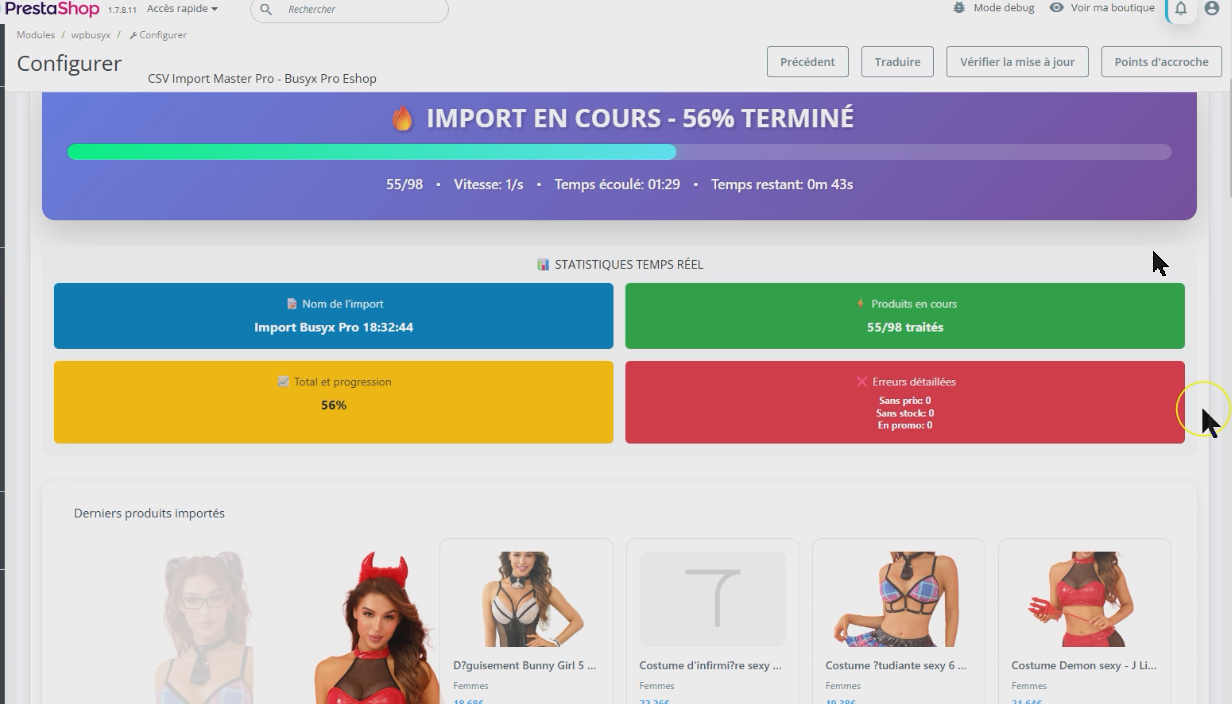
  • CSV Import Master Pro Busyx : AI-Powered E-Commerce Revolution play_circle_filled

    CSV Import Master Pro Busyx : AI-Powered E-Commerce Revolution

6 other products in the same category:

Reference: WP-ARC-HIVR

Brand: WebPoint

Free portable file compressor - WP Archiver for Windows

Free portable file compressor - Experience effortless file management with WP Archiver, no installation required!free portable file compressor, perfect for managing your archives without installation.WP Archiver is a free 100% portable file compressor for Windows. No installation required: download, launch, compress! Create ZIP, 7Z, TAR.GZ, and TAR.BZ2...
---
In stock

Reference: WP-AUD-CONV

Brand: WebPoint

Free Portable Audio Converter - Convert MP3, WAV, FLAC Easily

star star star_border star_border star_border
(1)
Free Portable Audio Converter provides an easy way to convert multiple audio formats on Windows without installation.100% free WebPoint Audio Converter is a free portable audio converter for Windows. No installation required: download, launch, convert! Supports 10 formats: MP3, WAV, FLAC, AAC, OGG, WMA, M4A, AIFF, OPUS, AC3. Batch conversion, drag &...
---
In stock

Reference: mic1695935434030

Brand: WebPoint

Windows 11 Pro activation key - Instant Email Delivery and Official License

star star star star star_border
(1)
Windows 11 Pro activation key ensures a smooth installation experience with an official license.Windows 11 Pro – Official digital license Compatible 32 & 64 bits Secure activation OS TO DOWNLOAD Suitable for a new installation or reinstallation Immediate key delivery by email & messaging (no physical media). 7/7 technical support if needed
€9.00
More
In stock

Reference: WP-DAT-CONV

Brand: WebPoint

Free Data Converter - WP Data Conversion Tool for Files

Free Data Converter makes it simple to convert CSV, JSON, XML, and Excel files all in one easy-to-use tool.Free Data Converter, the perfect tool to quickly transform your files with ease. WP Data Converter is a free 100% portable data converter for Windows. No installation required: download, launch, convert! Transform your CSV, JSON, XML, Excel (.xlsx),...
---
In stock

Reference: WP-PDF-TOOL

Brand: WebPoint

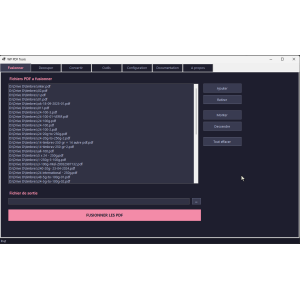
WP PDF Tools - Free PDF Tools for Merging, Splitting, and Protecting PDFs

WP PDF Tools - Free PDF Tools simplifies your PDF tasks with its powerful features for merging, splitting and converting.WP PDF Tools is your all-in-one free PDF toolbox. 100% free, portable, and without installation, this software brings together 11 essential PDF operations: merge, split, convert PDF to images, images to PDF, Word to PDF, rotation,...
---
In stock

Reference: WP-BAT-RENM

Brand: WebPoint

WP Batch Renamer for Windows - Effortless File Management Utility

WP Batch Renamer for Windows is your go-to solution for efficient file renaming operations in bulk.100% free WP Batch Renamer is a free and portable batch file renamer for Windows. Without any installation required, simply launch the EXE and rename hundreds of files with one click. 13 powerful operations: search/replace, change case, enumeration, regular...
---
In stock

Articles du blog

Tout voir arrow_forward

help_outline Questions fréquentes 4 FAQ

Oui, WP Video Converter est totalement gratuit, sans aucun frais caché. Toutes les fonctionnalités sont accessibles dès le lancement : les 10 formats de sortie, les 10 profils de conversion, la conversion par lots, le découpage vidéo, l'extraction audio MP3 et tous les réglages avancés (CRF, résolution, codecs, etc.). Il n'existe pas de version premium ni de limitations. Le moteur de conversion utilisé est FFmpeg, un outil professionnel open-source reconnu mondialement et utilisé par des plateformes comme YouTube, Netflix et VLC.
WP Video Converter est entièrement portable : il vous suffit de télécharger l'exécutable et de le lancer directement, sans aucune installation ni modification du registre Windows. Vous pouvez tout à fait le copier sur une clé USB et l'utiliser sur n'importe quel PC sous Windows 10 ou 11 (64 bits). Au premier lancement, le logiciel télécharge automatiquement FFmpeg dans son propre dossier, avec une barre de progression. Grâce à sa compilation .NET 8 self-contained, aucun composant supplémentaire n'est requis sur la machine hôte.
Absolument, ces deux usages sont parfaitement pris en charge. Pour WhatsApp, il vous suffit de sélectionner le profil prédéfini « WhatsApp / Mobile » : le logiciel génère automatiquement un fichier MP4 optimisé en 480p avec un bon niveau de compression (CRF 28), idéal pour un envoi rapide sans sacrifier trop de qualité. Pour extraire l'audio d'une vidéo en MP3, choisissez simplement le profil « Extraire audio » : vous obtiendrez un fichier MP3 haute qualité jusqu'à 320 kbps. Ces deux opérations se font en quelques clics, sans aucun réglage manuel nécessaire.
Oui, WP Video Converter intègre une fonction de conversion par lots très pratique. Vous pouvez sélectionner un dossier entier contenant vos vidéos et les convertir toutes en une seule opération. Vous avez également la possibilité d'inclure les sous-dossiers, de choisir un dossier de sortie différent et d'appliquer un format de sortie unique à l'ensemble du lot. Une barre de progression en temps réel vous permet de suivre l'avancement, et un rapport détaillé vous indique les succès et les éventuelles erreurs fichier par fichier à la fin du traitement. Les 18 formats d'entrée sont supportés (MP4, AVI, MKV, MOV, VOB, MTS, etc.).