


Reference: WP-VI-CON-V1

Brand: WebPoint

WebPoint Video Product Pro - PRESTASHOP Video Creator Module

star star star star star
(1)
WebPoint Video Product Pro delivers professional videos to elevate your product listings and drive sales. Générateur vidéo produit automatisé Générateur vidéo produit automatisé Transform your products into professional videos automatically! 🎥 WebPoint Video Product Pro generates captivating advertising videos, multilingual narration, music and visual...
$11.75
More
In stock

Reference: BOUT-93K2X

Brand: WebPoint

Turnkey ecommerce website - Your Complete E-commerce Solution

Turnkey ecommerce website - for entrepreneurs. Launch your professional online store with ease and efficiency.Get your turnkey online store within 48 hours, fully configured and ready to welcome your first customers. Professional and modern design, optimized for all screens. Credit card and PayPal payments already set up, shipping configured with major...
---
In stock

Reference: EXT-CRMAX-MULTILANG

Brand: WebPoint

Crunchyroll Maximizer Chrome Extension - Ultimate Streaming Upgrade 2025

star star star star star_half
(5)
Crunchyroll Maximizer Chrome Extension boosts your streaming quality effortlessly.Free and powerful Crunchyroll extension Download Crunchyroll Revolutionary 100% FREE Chrome extension that transforms your Crunchyroll experience!
---
In stock

Reference: EBP-2025-PRO

Brand: WebPoint
EBay Assistant Pro for Listings - Your Smart AI Tool for eBay Success

star star star star star_half
(228)
EBay Assistant Pro for Listings - offers smart automation for your eBay listings, enhancing your efficiency and sales performance.eBay extension automated by artificial intelligence ✨ eBay Assistant Pro is much more than a simple Chrome extension - it's your intelligent assistant dedicated to creating eBay listings that maximize your sales potential. 🚀...
$5.88
More
In stock
All best sellers
  • New
PrestaShop price management module, prices, promotions, CSV, API, multi-supplier
  • PrestaShop price management module, prices, promotions, CSV, API, multi-supplier
  • dashboard, user interface, software, price adjustment
  • user interface, price adjustment, settings, options, e-commerce
  • user interface, software, management, inventory, products, prices
  • system, software, interface, editing, product, management

Bulk Price Modification Module for Effective Price Control in PrestaShop

WP-BULKEDT
WebPoint
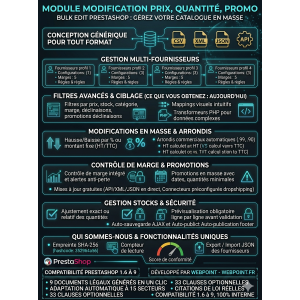
Bulk Price Modification Module allows for efficient pricing adjustments and promotion management on PrestaShop.

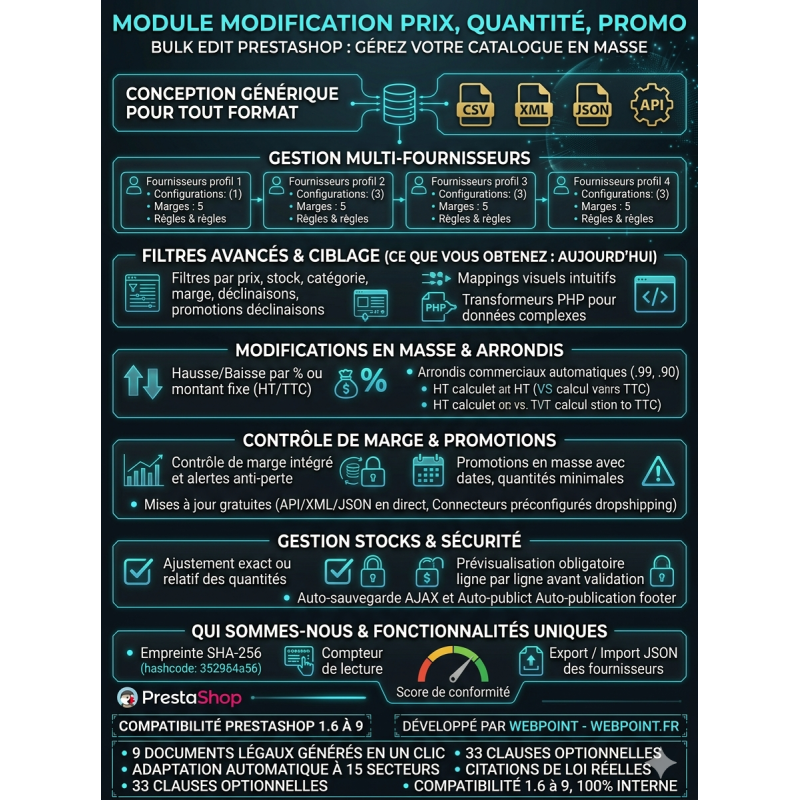
The PrestaShop Bulk Edit price modification module simplifies catalog management from a clear and secure interface.

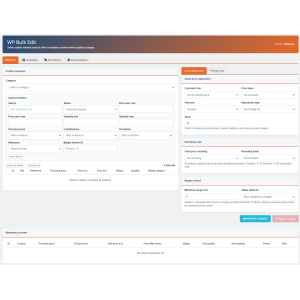
Select a category, filter useful products, adjust prices or quantities, and create bulk promotions.

Commercial rounding, margin control, and mandatory preview limit errors before validation.

A practical solution to save time without manually editing each product page.

$45.84
Tax excluded
Quantity
9999 Items

Description
Bulk Price Modification Module simplifies the process of adjusting prices, managing stock, and handling promotions for your store.

PrestaShop Bulk Price Modification Module

Bulk Edit allows you to quickly change prices, quantities, and promotions for multiple products from a centralized interface.Each operation requires a mandatory preview before application.

Manage your catalog more efficiently

Editing each product listing one by one quickly becomes time-consuming as your catalog grows.Bulk Edit helps you select a category, display the corresponding products, and apply a consistent pricing strategy to the selected products.

The module is adapted to supplier price changes, seasonal operations, dropshipping imports, promotional campaigns, and regular stock adjustments.

Advanced filters to target the right products

  • Search by title, reference, or ID.
  • Filter by minimum and maximum price.
  • Filter by minimum and maximum quantity.
  • Active or inactive products.
  • Products with or without purchase price.
  • Products with or without variations.
  • Products with or without promotion.
  • Empty or filled references.
  • Products whose margin is below the chosen threshold.

Bulk price editing

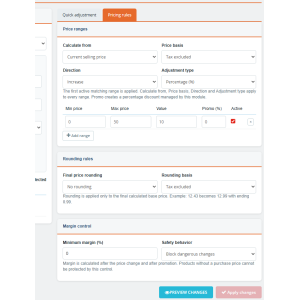
Increase or decrease prices by percentage or fixed amount.The calculation can start from the current selling price or the purchase price, with a pre-tax or including-tax basis.For complex catalogs, use tiered pricing rules to apply different adjustments based on the price level.

Automatic business rounding

Apply a final rounding to 0.99, 0.90, or 0.95, or choose to round up or down to the nearest whole number.The calculation can be performed on the pre-tax or including-tax price to maintain a commercial presentation adapted to your shop.

Integrated Margin Control

The table displays the purchase price, the margin in euros, and the margin in percentage.Define a minimum margin and choose between a warning or blocking dangerous modifications.This limits your risk of selling at a loss during a price drop or promotion.

Bulk Promotions

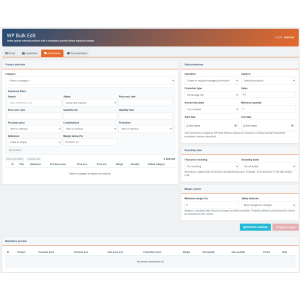
Create a percentage or fixed amount discount for selected products or for an entire category.You can define a start date, an end date, and a minimum quantity.The module also allows you to bulk delete only the promotions it created itself, without affecting existing manual promotions.

Quantity Management

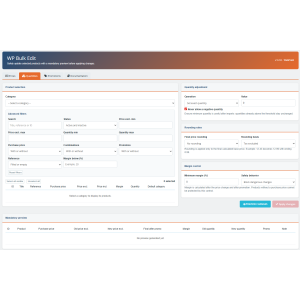
Set an exact quantity, add or remove from stock, or impose a minimum stock level.A protection prevents negative quantities.Products with variations are intentionally ignored during global stock adjustments to avoid overwriting quantities managed by combination.

Preview required before confirmation

The apply button remains disabled until a recent preview has been generated.You control the initial prices, new prices, result after promotion, remaining margin, quantities, and alerts line by line before confirming.

Compatibility

Bulk Edit uses stable PrestaShop APIs, without core overrides and without dependencies reserved for recent versions.It is designed to work from PrestaShop 1.6 up to PrestaShop 9.x.

Developed by WebPoint
Product Details
WP-BULKEDT
9999 Items
  • Front office play_circle_filled

    Front office

  • Back office play_circle_filled

    Back office

  • Ebay-assistant play_circle_filled

    Ebay-assistant

  • CSV Import Master Pro Busyx : AI-Powered E-Commerce Revolution play_circle_filled

    CSV Import Master Pro Busyx : AI-Powered E-Commerce Revolution

8 other products in the same category:

Reference: WPBX-9872-PR45

Brand: WebPoint

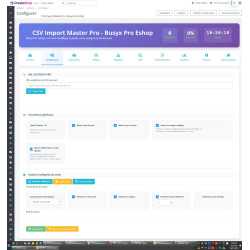
CSV Import Pro Busyx: Enhance Your PrestaShop Import Experience

star star star star star_half
(5)
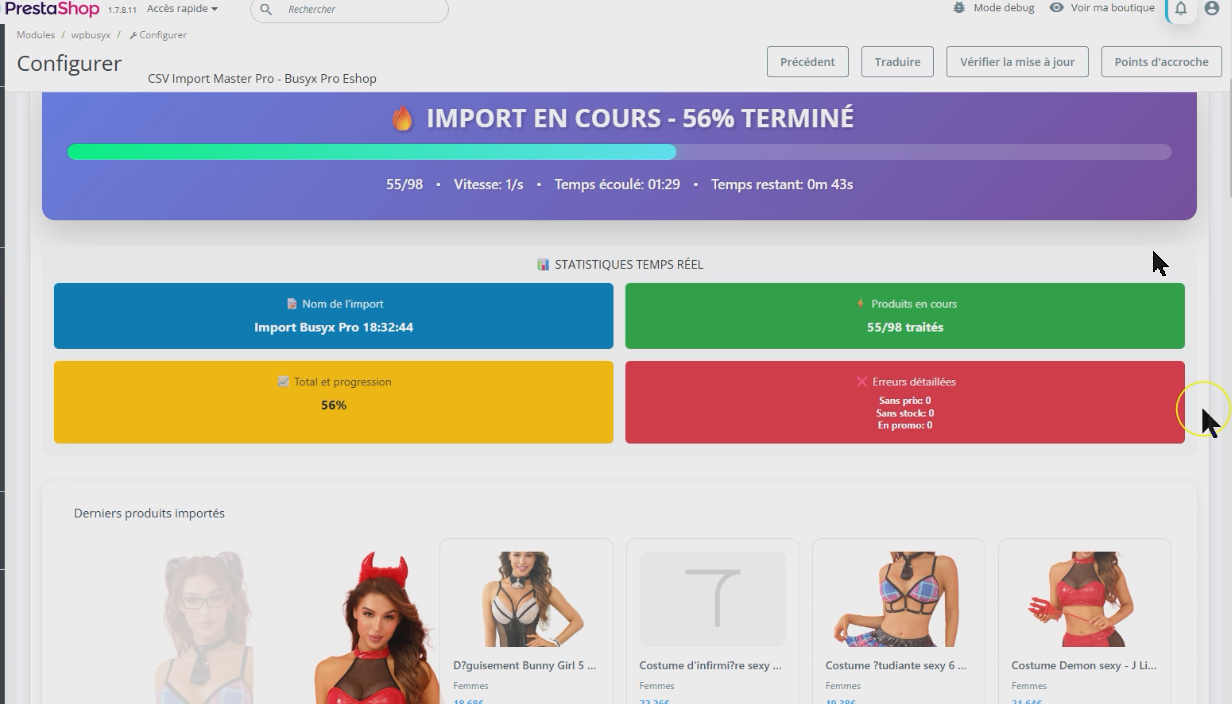
CSV Import Pro Busyx simplifies your PrestaShop import process effortlessly for better management.Automated and secure CSV import for PrestaShop Revolutionize your product import with CSV Import Master Pro Busyx! 🚀 An intelligent PrestaShop module that turns your imports into a growth strategy. 💡 Import, analyze and optimize in just a few clicks. 📊 The...
$94.01
More
In stock

Reference: WP-QUICKLINKS-PRO

Brand: WebPoint

WP Quick Links PrestaShop module - Boost Your Back-Office Operations

WP Quick Links PrestaShop module offers easy access to key features for efficient operations.Innovative and high-performance PrestaShop shortcuts ⚡ Transform your PrestaShop back-office into a real control cockpit ! WP Quick Links adds an elegant side panel with all your favorite shortcuts, accessible in 1 click or via keyboard shortcut. Real-time badges...
$10.58
More
In stock

Reference: CLR-CART-M01

Brand: WebPoint

Clear Cart Pro for PrestaShop - Efficient Cart Management Solution

star star star star star_half
(2)
Clear Cart Pro for PrestaShop offers a seamless cart experience, making shopping easy and efficient with one-click functionality.Clear PrestaShop cart quickly Module to clear the cart in 1 click! 2 strategic buttons (header + cart) for an optimal customer experience. Simple installation, compatible with all PrestaShop versions.
$10.58
More
In stock

Reference: MOD-ORDE-REFE

Brand: WebPoint

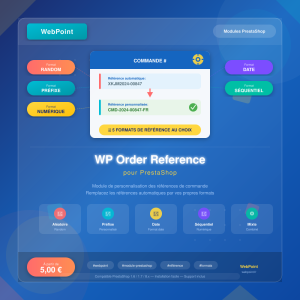
WP Order Reference for PrestaShop - Unique Order Number System

WP Order Reference for PrestaShop customizes your order references with unique IDs for streamlined management.PrestaShop custom order reference module Order reference customization module for PrestaShop. Replaces automatically generated order references by PrestaShop with custom references in the format of your choice. Inclut …✅ 5 reference formats to...
$5.88
More
In stock

Reference: ANTI-PIRATE

Brand: WebPoint

PrestaShop file integrity monitoring - Real-time Security Solution

PrestaShop file integrity monitoring protects your online store from unauthorized changes and threats.PrestaShop Anti-piracy PHP/HTML File Integrity Monitoring Module for PrestaShop. Detects additions, modifications, and deletions, alerts by email, quarantines hacked files. Instantly detect any suspicious modification to your PHP files.Email alerts,...
$92.85
More
In stock

Reference: MOD-DELE-ORDE

Brand: WebPoint

Delete Orders PrestaShop - Streamline Your Order Management

Delete Orders PrestaShop optimizes your order management process efficiently.Delete PrestaShop orders easily Order deletion module for PrestaShop. Allows permanently deleting orders from the back-office with advanced search, multiple selection and stock restoration option. Essential for…✅ Advanced order search by: ID, reference, customer name, email✅...
$5.88
More
In stock

Reference: MOD-STOC-CONT

Brand: WebPoint

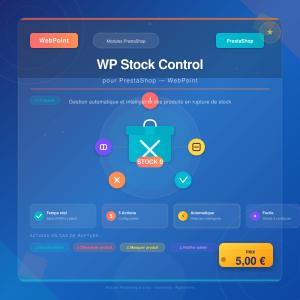
WP Stock Control PrestaShop - Streamlined Inventory Management Solution

WP Stock Control PrestaShop provides an automated solution for efficient stock management and real-time updates.Automated PrestaShop out-of-stock management Automatic and intelligent out-of-stock product management module for PrestaShop. Triggers a configurable action in real-time as soon as a product reaches zero stock, without any CRON or scheduled...
$4.70
More
In stock

Reference: MOD-LOGI-CUST

Brand: WebPoint

WP Login As Customer for PrestaShop - Effective Admin Module

WP Login As Customer for PrestaShop offers seamless access for admins.Commercial assistance module allowing administrators and authorized employees to log in to the front-office as a specific customer, in a single click from the back-office. Essential tool for… ✅ 1-click login from 3 back-office access points: ✅ Customer list (button in actions menu ⋮) ✅...
---
In stock

Articles du blog

Tout voir arrow_forward

help_outline Questions fréquentes 6 FAQ

Non, le module intègre une sécurité essentielle : la prévisualisation obligatoire avant toute application. Le bouton de validation reste désactivé tant que vous n'avez pas généré une prévisualisation récente. Vous pouvez ainsi contrôler ligne par ligne les prix initiaux, les nouveaux prix, les marges restantes et les éventuelles alertes avant de confirmer. De plus, le contrôle de marge intégré peut être configuré pour bloquer automatiquement toute modification qui ferait passer votre marge en dessous d'un seuil que vous définissez. Vous travaillez donc en toute sérénité.
Oui, Bulk Edit a été conçu pour fonctionner sur une très large gamme de versions, de PrestaShop 1.6 jusqu'à PrestaShop 9.x. Le module utilise les API stables de PrestaShop, sans override du cœur et sans dépendance réservée aux versions récentes. Quelle que soit votre version actuelle, vous pouvez l'installer en toute confiance.
Le module gère intelligemment les produits avec déclinaisons. Pour les modifications de prix et les promotions, les déclinaisons sont prises en compte. En revanche, pour les ajustements de stock globaux, les produits avec déclinaisons sont volontairement ignorés afin d'éviter d'écraser des quantités gérées par combinaison. Cette approche protège l'intégrité de votre gestion de stock par variante. Vous pouvez également filtrer spécifiquement les produits avec ou sans déclinaisons grâce aux filtres avancés.
Absolument, c'est exactement le type d'opération pour lequel Bulk Edit a été conçu. Vous sélectionnez la catégorie souhaitée, définissez une réduction de 20% en pourcentage, et vous pouvez même préciser une date de début et une date de fin pour automatiser la période promotionnelle. Une fois la promotion terminée, le module vous permet de supprimer en masse uniquement les promotions qu'il a lui-même créées, sans toucher aux promotions manuelles que vous auriez configurées par ailleurs. Tout est prévisualisé avant validation pour éviter toute erreur.
Oui, c'est l'un des cas d'usage principaux du module. Vous pouvez filtrer les produits par catégorie, par référence ou par tranche de prix, puis appliquer une augmentation de 5% en pourcentage basée sur le prix de vente actuel ou sur le prix d'achat. Pour les catalogues complexes, vous pouvez même utiliser les règles tarifaires par tranches afin d'appliquer des ajustements différents selon le niveau de prix. Les arrondis commerciaux automatiques (en 0,99, 0,90 ou 0,95) vous permettent de conserver une présentation tarifaire professionnelle après la modification.
Oui, Bulk Edit intègre un contrôle de marge complet. Le tableau de prévisualisation affiche pour chaque produit le prix d'achat, la marge en euros et la marge en pourcentage. Vous pouvez définir un seuil de marge minimale et choisir entre deux comportements : un simple avertissement visuel qui vous alerte sur les produits à risque, ou un blocage ferme qui empêche toute modification faisant passer la marge en dessous du seuil défini. Ce filet de sécurité vous protège efficacement contre les ventes à perte, que ce soit lors d'une baisse de prix ou d'une campagne promotionnelle.

description Documentation produit

Bulk Price Modification Module for Effective Price Control in PrestaShop

Prérequis

Assurez-vous que votre installation de PrestaShop est en version 1.6 ou ultérieure, jusqu'à la version 9.x. Aucune dépendance particulière n'est requise en dehors des API stables de PrestaShop.

Installation

  1. Téléchargez le fichier du module Bulk Edit depuis votre espace client WebPoint.
  2. Connectez-vous à votre interface d'administration PrestaShop.
  3. Accédez à la section "Modules et Services".
  4. Cliquez sur "Ajouter un nouveau module" et chargez le fichier téléchargé.
  5. Installez le module en suivant les instructions à l'écran.

Configuration

Après l'installation, accédez à la configuration du module via la section "Modules et Services" dans votre administration PrestaShop. Configurez les paramètres suivants selon vos besoins :

  • Définissez les arrondis commerciaux souhaités pour les prix.
  • Paramétrez le contrôle de marge en définissant une marge minimale.

Utilisation

  1. Ouvrez le module Bulk Edit depuis votre interface d'administration.
  2. Sélectionnez une catégorie de produits pour afficher les produits correspondants.
  3. Utilisez les filtres avancés pour cibler les produits à modifier.
  4. Ajustez les prix, quantités ou promotions selon vos besoins.
  5. Générez une prévisualisation obligatoire pour vérifier les modifications.
  6. Appliquez les modifications une fois la prévisualisation validée.

Scénarios d'usage

  • Changements de tarifs suite à une mise à jour des prix fournisseurs.
  • Création de promotions saisonnières sur une catégorie entière.
  • Ajustements de stock réguliers pour maintenir des niveaux optimaux.

Dépannage

Si le module ne fonctionne pas comme prévu, vérifiez que votre version de PrestaShop est compatible. Assurez-vous également que toutes les prévisualisations sont générées et validées avant l'application des modifications.

Compatibilité

Le module Bulk Edit est compatible avec PrestaShop 1.6 jusqu'à la version 9.x. Il utilise les API stables de PrestaShop et n'implique aucun override du cœur du système.

Bonnes pratiques

  • Effectuez régulièrement des sauvegardes de votre base de données avant d'appliquer des modifications en masse.
  • Utilisez les filtres avancés pour cibler précisément les produits à modifier.
  • Vérifiez toujours la prévisualisation pour éviter les erreurs de modification.