- New
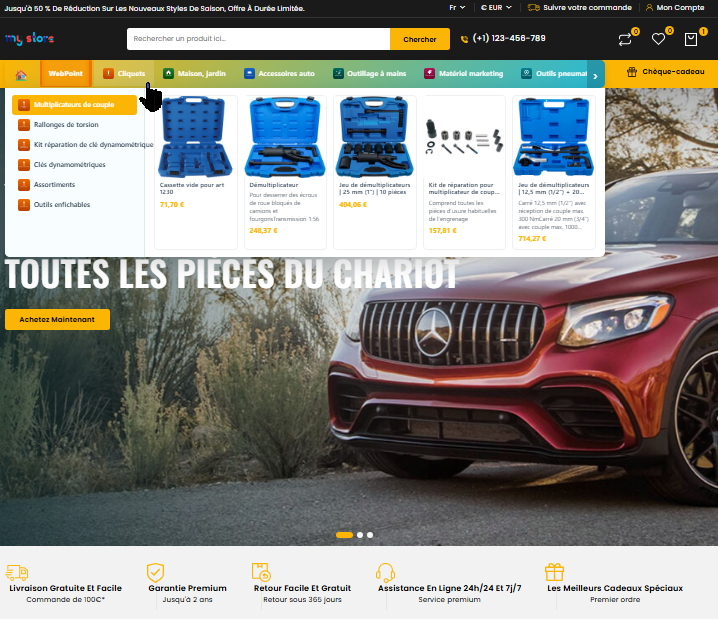
Tu en as marre de construire ton menu à la main ?Auto Menu est le module PrestaShop qui transforme ton mega-menu en machine 100 % automatique. Plus besoin de glisser-déposer pendant des heures : il détecte tout seul tes catégories, sous-catégories et produits. Fait pour :
Tu installes, tu choisis 2-3 réglages, et en 5 minutes chrono ton mega-menu est en ligne : animations 3D, panneaux déroulants avec images, sous-catégories et produits qui s'affichent au survol, largeur du panneau réglable en px ou en % du menu… tout est paramétrable depuis le back-office. Ce que tu obtiens :
Arrête de perdre ton temps. Laisse Auto Menu bosser à ta place. → |
Module WebPoint
Auto Menu — Mega-menu automatique en 5 min
Je l'achète maintenant →
Compatible PrestaShop 1.7 / 8 / 9 |
Online Stores
Online Services
Chrome Extensions
PrestaShop Modules
Mobile Applications
Sites web sur mesure
Windows Applications
Tutorials and Training
Reference: WP-VI-CON-V1
Brand: WebPoint
Reference: BOUT-93K2X
Brand: WebPoint
Reference: EXT-CRMAX-MULTILANG
Brand: WebPoint
Reference: EBP-2025-PRO
Brand: WebPoint
100% free
WebPoint Audio Converter is a free portable audio converter for Windows.
No installation required: download, launch, convert! Supports 10 formats: MP3, WAV, FLAC, AAC, OGG, WMA, M4A, AIFF, OPUS, AC3.
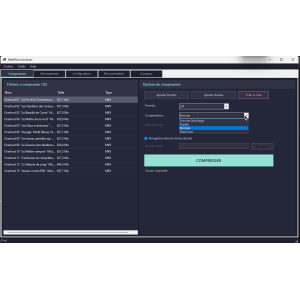
Batch conversion, drag & drop, integration into Windows context menu. Integrated FFmpeg with automatic download.
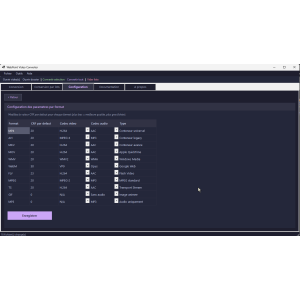
Configure audio bitrate by format. Modern interface with Catppuccin dark theme. 100% free, no ads, no registration. Portable software to carry on a USB stick.
Free & Portable Audio Converter for Windows
10 audio formats • Batch conversion • 100% free • No installation
You are looking for a free audio converter simple, rapide et efficace ? WebPoint Audio Converter is the ideal solution!This portable software for Windows allows you to convert your audio files between 10 different formats in a few clicks.No installation, no registration, no advertising.Download the executable, run it, and start converting immediately.Take it on a USB drive and use it on any Windows PC!
Powered by the powerful engine FFmpeg (automatically downloads on first launch), WebPoint Audio Converter guarantees professional conversion quality with full control over the audio bitrate of each format.
| Format | Type | Description |
|---|---|---|
| 🎵 MP3 | Lossy compression | The most universal audio format, compatible everywhere |
| 🎶 WAV | Uncompressed | Maximum quality without loss, ideal for audio editing |
| 🎷 FLAC | Lossless Compression | Lossless compression, CD quality preserved |
| 🎸 AAC | Lossy compression | Successor to MP3, better quality at the same bitrate |
| 🎹 OGG | Lossy compression | Free and open source format, excellent quality/size ratio |
| 🎺 WMA | Lossy compression | Microsoft Format, Windows Media Player Compatible |
| 🎻 M4A | Lossy compression | Apple Format, ideal for iTunes and Apple devices |
| AIFF | Uncompressed | Professional studio quality Apple equivalent of WAV |
| 🎽 OPUS | Lossy compression | Ultra-performant, ideal for streaming and VoIP |
| 🎾 AC3 | Lossy compression | Dolby Digital, used in DVDs and cinema |
Convert between 10 audio formats differents : MP3, WAV, FLAC, AAC, OGG, WMA, M4A, AIFF, OPUS et AC3.Each format is optimized with configurable bitrate settings to achieve the best quality/size ratio.
Convert a entire folder all at once, with support for subfolders .Ideal for converting an entire music collection in minutes.Save precious time!
Simply drag your audio files into the application window to add them to the conversion queue.It's that simple!No more navigating through menus.
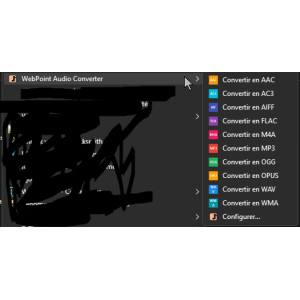
Automatic integration with Windows Explorer context menu .Right-click on any audio file, select "WebPoint Audio Converter," and choose the target format.Submenus with colored icons by format + configuration option.
View all Technical specifications of your audio files using FFprobe: duration, bitrate, codec used, sample rate, number of channels.Everything to know about your files before converting them!
Configure the audio bitrate individually for each output format.Your preferences are automatically saved in a persistent JSON configuration file.Retrieve your settings on every launch.
No need to install FFmpeg separately!On first launch, WebPoint Audio Converter automatically download the latest version of FFmpeg from the official repository (gyan.dev).Everything is managed for you, with full transparency.
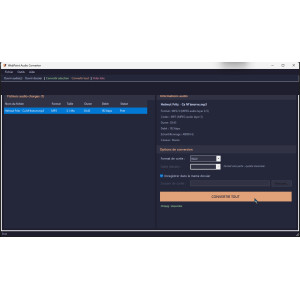
Sleek interface with the theme Catppuccin Mocha , a modern dark theme with soft and eye-pleasing colors.Peach Accent for interactive elements.Work comfortably, even at night.
Convert your music collection to MP3 for your portable player, FLAC for your Hi-Fi system, or AAC for your iPhone.One tool for all your audio needs.
Convert your recordings to WAV or AIFF for editing in your favorite DAW (Audacity, FL Studio, Ableton).Then export to MP3 or OGG for the web.
Convert your podcast episodes to MP3 optimized for distribution platforms, or ultra-light OPUS for streaming.Choose the ideal flow rate for each use.
Batch convert the audio files of a project.Batch conversion with subfolders saves you hours of work.Right-click integration for a seamless workflow.
Download the portable executable (69 MB).No installation required.
Double-click WPAudioConverter.exe. FFmpeg will download automatically.
Drag and drop your files or select an entire folder to convert.
Select the target format and click.Let's go!
| Operating System | Windows 10 / 11 (64-bit) |
| ⚙ Framework | .NET 8.0 (integrated into the executable) |
| 🚀 Conversion Engine | FFmpeg (auto-downloads from gyan.dev) |
| 💾 Executable Size | 69 MB (single file, self-contained) |
| 🎨 Graphical Interface | WinForms with Catppuccin Mocha theme (dark) |
| 🎵 Supported formats | MP3, WAV, FLAC, AAC, OGG, WMA, M4A, AIFF, OPUS, AC3 |
| 💰 Price | FREE - €0.00 |
| 📦 Type | Portable software (no installation required) |
| 📝 Configuration | JSON File (wpaudioconverter.json) - Automatic Save |
| 🚀 Version | v2.5 (final stable version) |
| Feature | WebPoint ⭐ | Other Software |
|---|---|---|
| 100% Free | ✅ YES | ❌ Often paid or limited |
| Portable (no installation) | ✅ YES | ❌ Installation required |
| No ads | ✅ YES | ❌ Intrusive ads |
| 10 audio formats | ✅ YES | ⚠ Variable (3-6 formats) |
| Batch conversion | ✅ YES | ❌ Rarely free |
| Windows context menu | ✅ YES | ❌ No |
| FFmpeg integrated | ✅ Auto-download | ❌ Manual installation |
| Modern dark interface | ✅ Catppuccin Mocha | ⚠ Often dated |
Yes, absolutely!WebPoint Audio Converter is 100% free, with no hidden premium version, no file limits, no watermark, no advertising.You can use it as much as you want, for as long as you want.
No!WebPoint Audio Converter is portable software.Simply download the .exe file and run it.No installation, no Windows registry modification.You can even put it on a USB drive and use it on any PC.
No, it's automatic!On first launch, the software downloads FFmpeg for you from the official site (gyan.dev).Everything is transparent and requires no action on your part.
There are no limitations!You can convert as many files as you want, including entire folders with subfolders, thanks to the batch conversion feature.
WebPoint Audio Converter uses FFmpeg, the world's most reliable conversion engine.You control the bitrate of each format to achieve exactly the desired quality.For lossless quality, use FLAC, WAV, or AIFF formats.
WebPoint Audio Converter is optimized for Windows 10 and Windows 11 (64-bit).Older versions of Windows are not officially supported because the software uses .NET 8.0.
Free Audio Converter • Portable • 10 Formats • No Installation
Version 2.5 • Windows 10/11 64 bits • 69 MB • Single File
© 2026 WebPoint - All rights reserved
WebPoint Audio Converter is free software developed by WebPoint.
play_circle_filled
play_circle_filled
play_circle_filled
play_circle_filled
Aucun avis pour ce produit pour le moment.
Reference: WP-DAT-CONV
Brand: WebPoint
Reference: WP-ARC-HIVR
Brand: WebPoint
Reference: mic1695935434030
Brand: WebPoint
Reference: WP-BAT-RENM
Brand: WebPoint
Reference: WP-PDF-TOOL
Brand: WebPoint
Reference: WP-VID-CONV
Brand: WebPoint
Maîtriser le State Management en Clojure : Atoms, Refs, Agents et STM 🚀 Dans le monde de la programmation...
Lire la suiteSupervision Tree in Elixir: Achieving Infinite Depth and Immortal Hierarchies 🌳 In the world of concurrent...
Lire la suiteMaîtriser gRPC en Go : Services avec Protocol Buffers et Streaming RPCs 🚀 Dans le monde des microservices, les...
Lire la suite
100% free
WebPoint Audio Converter is a free portable audio converter for Windows.
No installation required: download, launch, convert! Supports 10 formats: MP3, WAV, FLAC, AAC, OGG, WMA, M4A, AIFF, OPUS, AC3.
Batch conversion, drag & drop, integration into Windows context menu. Integrated FFmpeg with automatic download.
Configure audio bitrate by format. Modern interface with Catppuccin dark theme. 100% free, no ads, no registration. Portable software to carry on a USB stick.